Why Phone Security Matters More Than Ever
Smartphones are prime targets for hackers because they store sensitive information: banking apps, emails, private photos, contacts, and passwords. A single breach can lead to identity theft or financial loss. Understanding how to protect your phone from hackers is not about paranoia—it’s about being prepared. While no device is 100% secure, certain steps can significantly lower your vulnerability.
Many people assume that only celebrities or business executives are targeted. In reality, hackers often go after everyday users through automated attacks, phishing scams, or unsecured Wi-Fi networks. The good news is that most hacks are preventable with consistent, simple practices.
Keep Your Operating System and Apps Updated
One of the easiest ways to improve security is to install software updates as soon as they become available. Manufacturers release patches to fix known vulnerabilities. Delaying updates leaves your device exposed to exploits that hackers already know about.
- Enable automatic updates for both your operating system and apps.
- Check for updates manually at least once a month if auto-update is off.
- Delete apps you no longer use—they may stop receiving security updates.
Remember: updates may vary by device model and region. Some older phones may not support the latest versions, so check your manufacturer’s support page for options.
Use Strong, Unique Passwords and Biometrics
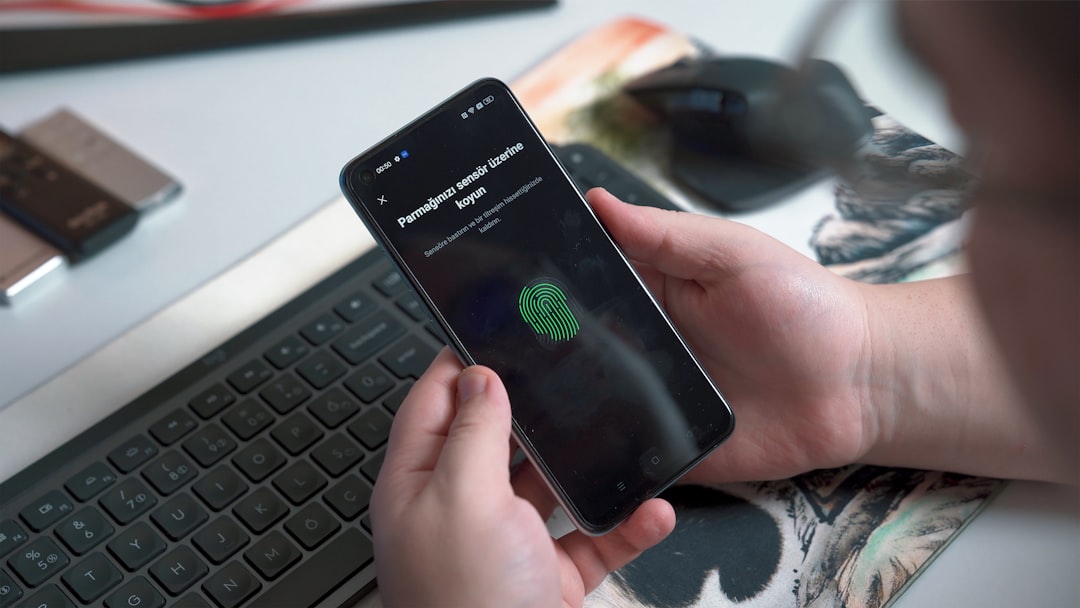
A simple four-digit PIN is not enough. When learning how to protect your phone from hackers, start with the lock screen. Use a complex alphanumeric password or a longer passphrase. If your phone supports fingerprint or facial recognition, enable it as a convenient second layer.
- Avoid using birthdates, repeated numbers, or common patterns like 1234.
- Never reuse passwords across multiple accounts.
- Consider a password manager to generate and store strong passwords securely.
Biometrics are not foolproof—results are not guaranteed against sophisticated attacks—but they add an extra barrier that most casual hackers cannot bypass.
Be Cautious with Apps and Permissions
Not every app in an official store is safe. Some may request unnecessary permissions to access your camera, microphone, contacts, or location. Always review what an app asks for before installing. If a flashlight app wants your location, that is a red flag.
- Download only from official stores like Google Play or Apple App Store.
- Read user reviews and check the developer’s reputation.
- Revoke permissions for apps that do not need them—you can change this in settings anytime.
Be aware that some apps may contain adware or spyware, even in official stores. Requirements may apply for certain features, so always read the privacy policy.
Secure Your Wi-Fi and Bluetooth Connections
Public Wi-Fi networks are convenient but risky. Hackers can intercept data on unsecured networks or set up fake hotspots to steal login credentials. When you are out, take precautions.
- Avoid accessing banking or sensitive accounts on public Wi-Fi.
- Use a virtual private network (VPN) if you must connect—but research reputable providers.
- Turn off Wi-Fi and Bluetooth when not in use to prevent automatic connections.
At home, secure your router with a strong password and enable WPA3 encryption if available. Options may vary depending on your router model and internet service provider.
Watch Out for Phishing and Social Engineering
Many phone hacks start with a deceptive message. Hackers send texts or emails pretending to be from banks, delivery services, or even friends. These messages often contain links that install malware or steal your information.
- Never click on links in unsolicited messages.
- Verify the sender by contacting them through an official number or website.
- Do not share personal information like passwords or PINs over text or email.
If a message creates urgency—like “Your account will be locked in 24 hours”—treat it with suspicion. Legitimate companies rarely demand immediate action via text.
Enable Two-Factor Authentication (2FA)
Two-factor authentication adds a second step to log in, usually a code sent to your phone or generated by an authenticator app. Even if a hacker gets your password, they may not be able to access your account without that second factor.
- Enable 2FA on your email, banking, and social media accounts.
- Use an authenticator app instead of SMS when possible—SMS codes can be intercepted.
- Keep backup codes in a safe place in case you lose access to your phone.
While 2FA is highly effective, results are not guaranteed against advanced attacks like SIM swapping. Check your carrier’s options for additional SIM security.
What to Do If You Suspect Your Phone Has Been Hacked
Even with precautions, you may notice warning signs: unusual battery drain, pop-up ads, unfamiliar apps, or data usage spikes. If you think your phone is compromised, act quickly.
- Run a security scan using a trusted antivirus app (available in some areas).
- Change passwords for all important accounts from a different device.
- Remove suspicious apps and revoke their permissions.
- Consider a factory reset if problems persist—back up your data first.
If financial information is involved, contact your bank immediately. Requirements may apply for fraud protection, so check your bank’s policy.
Common Mistakes to Avoid
Many people unknowingly weaken their phone security. Avoid these errors:
- Jailbreaking or rooting your phone, which removes built-in protections.
- Using the same password for everything—one breach compromises all accounts.
- Ignoring privacy settings on social media apps.
- Leaving Bluetooth on in crowded places.
- Downloading “free” apps from unknown websites.
Staying informed is your best defense. Hackers constantly evolve their methods, so review your security habits every few months.
FAQ: How to Protect Your Phone from Hackers
Can a hacker access my phone without me knowing?
Yes, some malware operates silently in the background. Signs include slower performance, unexpected ads, or data usage spikes. Regular security scans and cautious app downloads reduce this risk.
Is it safe to use public charging stations?
Public USB ports can be used for “juice jacking,” where data is transferred without your knowledge. Use your own charger and wall outlet, or carry a power bank. If you must use a public port, use a USB data blocker.
Do I need antivirus software on my phone?
On Android, reputable antivirus apps can provide an extra layer of protection. iPhones are generally more locked down, but antivirus can still help with phishing links. Options may vary, and results are not guaranteed.
What should I do if I click a phishing link?
Do not enter any information. Close the page immediately. Run a security scan, change affected passwords, and monitor your accounts for unusual activity. If you provided financial details, contact your bank.
Can factory reset remove all hackers from my phone?
A factory reset removes most malware, but some advanced threats may persist in firmware. After resetting, restore only essential data from a backup made before the infection. If problems continue, consult a professional.
Related Searches
- how to secure your smartphone from malware
- best phone security settings for privacy
- signs your phone has been hacked
- how to remove hacker from Android phone
- iPhone security tips against hackers
- free phone security check tools
- how to prevent SIM swap attacks
- common phone hacking techniques explained